
3 min read

Your Content Creation Toolkit: Third-Party Tools to Transform Your Courses

Your Content Creation Toolkit: Third-Party Tools to Transform Your Courses

You’ve mapped out your modules, prioritized your core content, and considered what learning approaches suit your content and your learners context. Now it’s time to move from strategy to screen. But how do you execute this without a big budget or a team of developers? Bridging that gap is precisely what this guide is for.

With Intuto as the backbone, your course has the structure, data, and tracking you need. On top of that, an explosion of AI and third-party tools lets you experiment with images, video, audio, and interactive content—then seamlessly pull it all back into your course for a polished, cohesive result.

Next, let’s explore the creative and integrative third-party tools that make it easy to turn your course blueprint into a rich, engaging learning experience.

Creative Tools to Build Your Core Assets

These tools help shape the look, feel, and clarity of your course content before anything goes live.

Canva

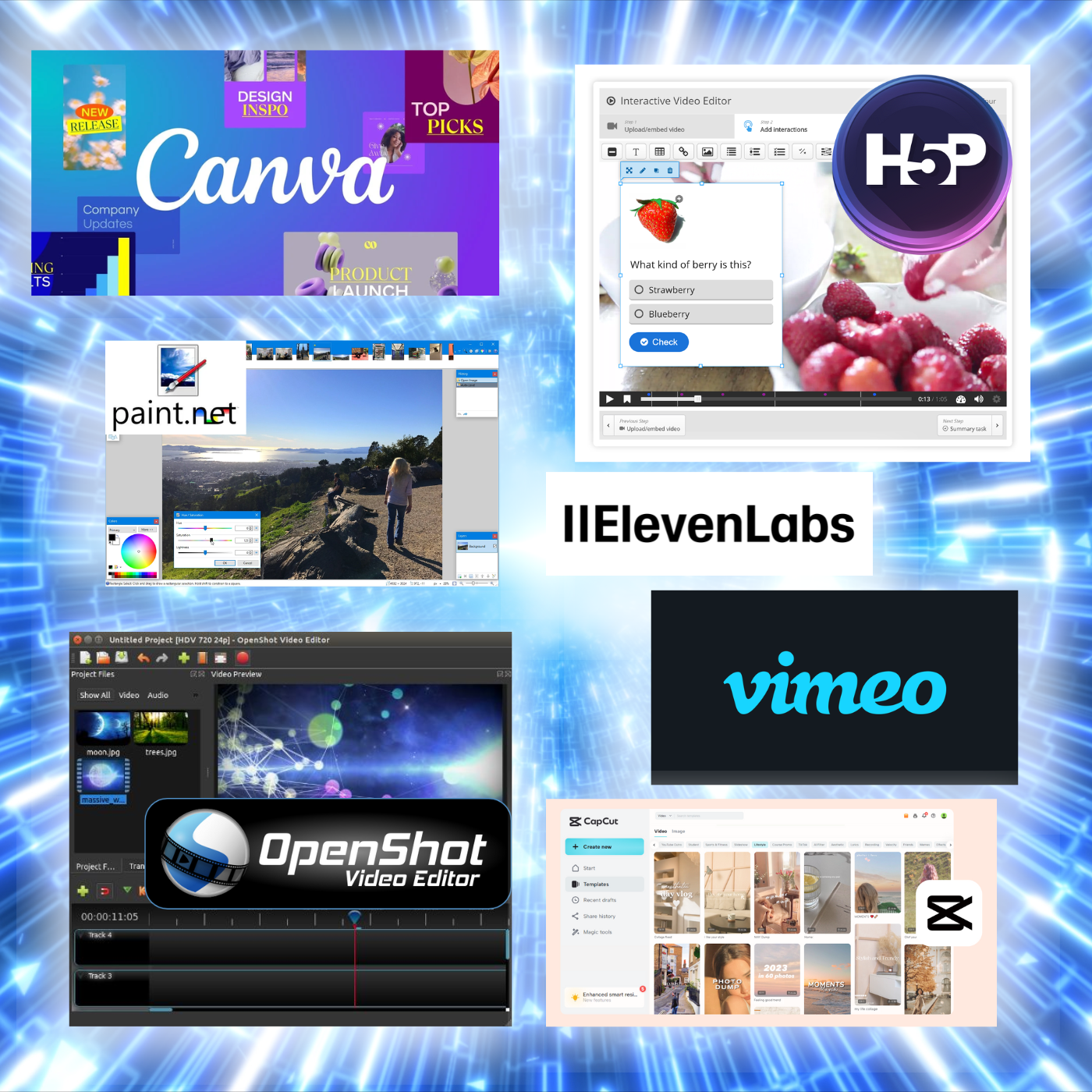
An indispensable hub for fast, professional design. Canva makes it simple to create course banners, slides, worksheets, and even short explainer videos. Its AI-powered features and large template library can help bring creative ideas to life effortlessly. The free version covers most needs, while the Pro plan unlocks advanced branding and design options.
Canva.com

Paint.NET

A free, lightweight image editor that covers essentials like cropping, resizing, layering, and adding effects. It’s perfect for tidying up screenshots, optimizing photos, or resizing logos to fit neatly into your course layout—without the complexity of advanced software.
Getpaint.net

Napkin

A straightforward diagramming tool for mapping ideas and processes. It’s excellent for turning complex workflows or decision trees into simple visuals that help learners understand how information connects.
Napkin.ai

Stock Photo Libraries

High-quality visuals instantly raise the professionalism of a course. Free sources like Unsplash and Pexels provide strong general-use imagery, while paid libraries such as Shutterstock or iStock are ideal when you need niche or brand-specific content. Images can also be customized with text or overlays to reinforce key learning points.

Pro Tip-1


Try Intuto’s built-in stock photo tool in the course editor to add visual interest in seconds!


ChatGPT (or similar AI chatbots)

AI writing assistants are invaluable for drafting and refining content. They can generate quiz questions, simplify technical explanations, or restructure modules into more digestible pieces—speeding up the authoring process while leaving room for your personal editing and expertise.

Pro Tip-1


To protect your intellectual property, disable model training in your AI assistant's privacy settings.


Integrations to Add Engagement and Interactivity

Once you’ve built your core assets, these tools help you bring them to life inside your course.

H5P

To truly engage your members, you need to move them from passive reading to active participation. H5P is our go-to tool for making this happen. It allows you to create a wide range of interactive activities that reinforce key concepts, such as drag-and-drop exercises, ungraded quizzes, or finding the right hotspot on an image. It's also brilliant for consolidating dense information into elegant, clickable accordions.

While a step up from basic image editing, H5P is straightforward to learn and is an indispensable part of our course creation toolkit.
H5P.com

Outgrow

Perfect for more applied experiences, Outgrow lets you build calculators, assessments, and surveys that reinforce decision-making and give learners hands-on ways to test their understanding.
Outgrow.co

ElevenLabs

AI voice generators like ElevenLabs are a game-changer for creating affordable, high-quality course narration. We recommend moving beyond simple page narration, using its wide selection of voices to create a conversational narrative or a podcast-style discussion. This approach is highly effective when paired with on-screen visuals and text, aligning with neuroscience to create a more engaging and memorable learning experience.
ElevenLabs.io

Pro Tip-1
AI is great, but getting a flawless result can take a bit of work. Reach out to our team if you would like support or advice on your audio.


CapCut / ClipChamp / iMovie

These editors strike a balance between simplicity and professional polish. With built-in captions, transitions, and templates, they’re ideal for producing explainer videos, tutorials, or micro-learning clips quickly and easily.

CapCut
ClipChamp
iMovie

Openshot

For more advanced video editing needs, Openshot serves as a powerful engine. Use it to clean up your recordings by cutting out the parts you don’t need—from the initial housekeeping to awkward pauses and Zoom issues. It's also perfect for repurposing content by breaking down longer videos into smaller segments, like splitting a multi-topic presentation into individual clips. Be aware that exporting can take a while, but this allows for much greater control over the final resolution and enables exact, split-second edits.
Openshot.org

VLC

If you're struggling with webinar recordings that are too large to upload or video files saved in an unsupported format, VLC provides a simple and free solution. You can use this versatile tool to easily compress oversized files and convert your media into a more usable format.
VLC

Ready, Set, Create: Your Path to a Better Course

The landscape of digital creation is evolving faster than ever, but that change represents an opportunity, not a barrier. The most powerful strategy is to combine the solid foundation of Intuto LMS with the creative freedom of the best third-party tools. You don't need a massive budget or a team of developers to build a truly great course; you just need the right tools and a willingness to experiment.

The real magic happens when you start to play. So pick one tool from this guide that excites you, start creating, and see how you can transform your expert content into an unforgettable learning experience.

Should you need a helping hand at any point on that journey, we're just a conversation away. Book a demo to talk through your project and we’ll help you move forward.

Meet With Us

Your Association's Tech Stack Simplified: The 3 Tools You Need to Delight Members

Your Association's Tech Stack Simplified: The 3 Tools You Need to Delight Members

For leaders of member-based organizations, the technology landscape can feel overwhelming. There’s a tool for everything, and every vendor promises...

Read More
How to price your online course with Intuto

How to price your online course with Intuto

Now that you know how to sell your Intuto courses online, your priority is deciding how to price your online course you wish to sell.

Read More
From Expert to Educator: Your Blueprint for a Successful Online Course

From Expert to Educator: Your Blueprint for a Successful Online Course

Your association is sitting on a goldmine. Think about it: the brilliant keynotes from your annual conference, the insightful data from your latest...

Read More